
Document Workflow Assessment & Automation Implementation
Workflow automation should not begin with software.
It should begin with a clear understanding of how information enters your organization, what happens to it next and where the process slows down, breaks down or disappears into someone’s inbox.
MCC Solutions assesses document-driven processes, designs more efficient workflows and implements automation that fits how your organization actually operates. We support the project from initial discovery and process mapping through configuration, testing, employee training and ongoing improvement.
What Is a Document Workflow Assessment?
A document workflow assessment examines how information is received, reviewed, approved, stored, shared and retrieved across a business process.
The purpose is to identify unnecessary manual steps, repeated data entry, inconsistent procedures, approval delays and gaps in visibility or control before an automated solution is designed.
Automating a bad process does not fix it. It simply helps the bad process move faster.
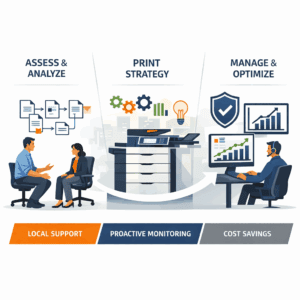
Where Manual Processes Create Problems
Most inefficient workflows did not begin as major problems. They grew one email, spreadsheet and workaround at a time.
Information is scattered.
Documents may be stored in paper files, email inboxes, shared drives, individual desktops and disconnected business systems.
No one knows the status.
Employees spend time asking whether a document was received, who has it or what needs to happen next.
Approvals become bottlenecks.
Invoices, contracts, requests and other documents wait for someone to review an email or physically pass along a file.
The same information is entered repeatedly.
Employees copy data between documents, spreadsheets and software systems, increasing labor and the likelihood of errors.
Processes depend on individual employees.
When the person who understands the workaround is unavailable, the workflow stalls.
When to Consider Workflow Automation
A workflow assessment may be useful when your organization is:
- Processing a high volume of invoices, forms or records
- Relying on email to route documents for approval
- Entering the same information into multiple systems
- Struggling to find current or complete files
- Managing different versions of the same document
- Growing beyond the limits of a manual process
- Preparing for an audit or strengthening document controls
- Trying to reduce paper without disrupting daily operations
- Looking for better visibility into document status and ownership
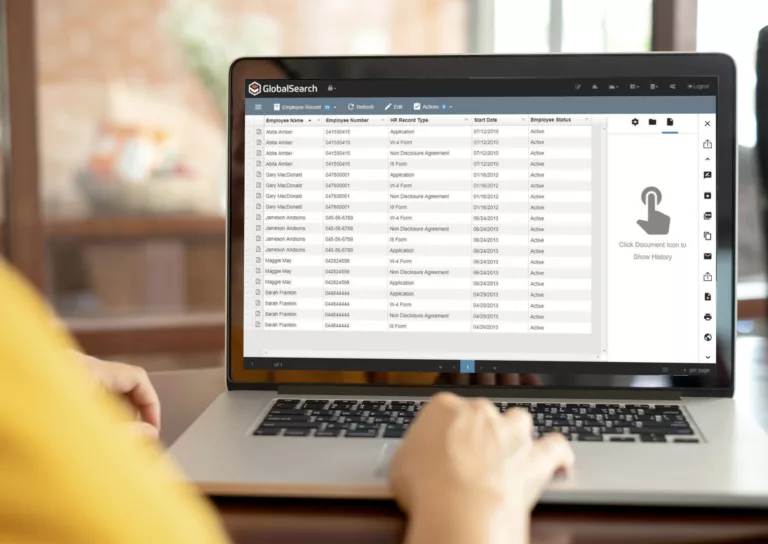
How MCC Implements Document Workflow Automation
1. Define the Business Goal
The process begins with what the organization needs to improve.
That may include shortening approval times, reducing data entry, controlling access to records, improving audit visibility or giving employees a consistent way to find information.
We also identify the people and departments involved, the types of documents being processed and the systems currently used.
The objective is not simply to “go paperless.” It is to improve a specific business process.
2. Map the Current Workflow
Next, MCC reviews how the process works today.
We follow the document or information from the moment it enters the organization through every review, handoff, approval, storage location and final outcome.
The assessment may examine:
- How documents are received
- Who reviews or enters the information
- Where files are stored
- How approvals are requested
- What decisions determine the next step
- Which systems employees use
- Where duplicate work occurs
- How exceptions are handled
- Who needs access at each stage
- How completed records are retained or retrieved
This often reveals that the documented procedure and the procedure employees actually follow are not remotely the same creature.
3. Design the Improved Process
Once the current workflow is understood, MCC designs a more efficient version.
The future workflow may remove unnecessary steps, standardize document handling, route information automatically or create clearer responsibility at each stage.
Depending on the process, the design may define:
- Document capture methods
- Required data and indexing fields
- User roles and permissions
- Routing and approval rules
- Notifications and reminders
- Exception handling
- Search and retrieval requirements
- Retention procedures
- Connections with existing business systems
- Reporting and status visibility
The proposed workflow is reviewed with the client before implementation so key stakeholders can confirm that it reflects real operating requirements.
4. Demonstrate and Scope the Solution
MCC demonstrates how the proposed workflow would operate and explains what users will experience at each stage.
This gives the client an opportunity to review the design, ask questions and identify adjustments before configuration begins.
The project proposal then defines the workflow, software, integrations, implementation responsibilities and training requirements.
What the demonstration should answer:
- How does information enter the workflow?
- What happens automatically?
- What still requires human review?
- How are approvals completed?
- Where are documents stored?
- How do users find information?
- What happens when something does not follow the normal process?
5. Configure, Integrate and Test
After the project is approved, MCC configures the workflow around the agreed process.
Implementation may include creating document types, indexing fields, user permissions, routing rules, notifications, approval paths and connections with existing systems.
Testing is completed before full deployment.
Representative documents and real-world scenarios are used to confirm that:
- Information is captured correctly
- Documents reach the correct users
- Permissions work as intended
- Approvals and notifications function properly
- Exceptions can be handled
- Documents can be searched and retrieved
- Connected systems exchange the required information
- The workflow produces the expected final result
Issues identified during testing are corrected before the process is released to the broader user group.
6. Train Users and Refine the Workflow
Once testing is complete, MCC trains the employees and administrators who will use the new process.
User training focuses on completing everyday tasks, such as submitting documents, reviewing information, approving requests, finding records and handling exceptions.
Administrators may receive additional training on user management, permissions, workflow monitoring and common system changes.
After launch, the workflow can be reviewed and adjusted as employees use it in real conditions. Business processes change, and the system should be able to change with them.
Automation Does Not Have to Eliminate Every Manual Step

Not every decision should be automated.
Some processes require human judgment, review or approval. The purpose of workflow automation is to remove repetitive administrative work while preserving the decisions that genuinely require a person.
A well-designed workflow makes that division clear:
The system handles document capture, routine routing, notifications, data transfer and status tracking.
Employees handle exceptions, judgment calls, approvals and decisions that require context.
Common Processes That Can Be Improved
Workflow automation can support many document-driven processes, including:
Finance and Accounting
Invoice capture, purchase approvals, supporting documentation and payment authorization.
Human Resources
Applications, onboarding documents, employee records, policy acknowledgements and internal requests.
Contracts and Agreements
Document review, approval routing, version control, signatures and retention.
Records and Case Files
Document collection, indexing, permissions, retrieval and retention requirements.
Administrative Approvals
Requests that must move between employees, departments or management levels before action can be taken.
The best starting point is usually a process that is frequent, repeatable and already causing measurable frustration.
For a deeper look at technical capabilities, integrations, and supported workflows, explore our Document Solutions
How Long Does Workflow Automation Take to Implement?
Implementation time depends on the complexity of the process.
A focused departmental workflow may require fewer steps and integrations than an organization-wide system involving multiple departments, document types and approval paths.
The timeline may be affected by:
- The number of workflows being automated
- The quality and consistency of the current process
- Required software integrations
- User and permission requirements
- Document migration needs
- Testing and approval cycles
- Employee availability for discovery and training
MCC defines the expected scope, responsibilities and implementation schedule before configuration begins.

Why Businesses Choose MCC
We start with the process
The workflow is designed around the business requirement rather than forcing the organization into a generic software template.
We understand paper and digital documents
MCC can account for information entering through scanners, copiers, email, forms and existing systems.
We involve the people doing the work
Employees who use the current process often know exactly where it fails. Their input is essential to designing something they will actually use.
We remain involved after launch
MCC provides support as users adopt the workflow and business requirements evolve.
Document Workflow Automation vs. Document Management Software
Document management software is the technology used to store, organize, secure and retrieve digital documents.
Workflow automation controls what happens to those documents as work is completed—including routing, review, approval, notifications and connections with other systems.
The two often work together, but they are not interchangeable.
How This Service Fits Into MCC's Solutions
Document management and workflow automation are delivered through MCC’s broader solutions ecosystem, which may include:
MCC Solutions provides document management and workflow automation services for organizations across Tennessee and Mississippi, with local teams supporting Memphis, Nashville, Jackson, and surrounding areas.
Find the Manual Work Hiding in Your Process
You do not need to know which software you need before starting.
You only need to identify a process that takes too long, requires too much manual effort or gives employees too little visibility.
MCC can map the current workflow, identify practical opportunities for improvement and design an automated process around the way your organization works.
Request a Workflow AssessmentCall: 866-805-5893