
Print & Mail Technology Assessment, Installation & Support
Business technology works best when it is selected for the actual workload, properly installed and supported after it enters daily use.
MCC Solutions assesses, recommends, installs, configures and supports print and mail technology for organizations of all sizes. Whether you are replacing one copier, redesigning a print fleet or upgrading an entire mailroom, we manage the process from the initial assessment through training and ongoing service.
Start With the Work, Not the Equipment
The first question should not be, “Which machine do you want?”
It should be, “What does your team need to accomplish?”
Before recommending equipment, MCC looks at how documents and mail move through your organization, where delays occur, what employees use every day and what the new technology needs to improve.
That may include reducing print costs, replacing unreliable devices, processing mail faster, improving tracking, supporting higher volumes or making equipment easier for employees to use.

One Process, Two Working Environments
Print and Copy Environments
MCC helps organizations plan and deploy copiers, multifunction printers, business printers and managed print environments based on document volume, user needs, network requirements and support demands.
Mailroom Operations
We also assess and install technology used to prepare, process, meter, track and distribute business mail and packages.
The equipment is different, but the objective is the same: create a reliable system that fits the workload instead of forcing employees to work around poorly matched technology.
When an Assessment Makes Sense
A print or mail technology assessment may be useful when:
- Equipment is outdated, unreliable or expensive to maintain
- Employees regularly wait for devices or work around recurring problems
- Print or postage costs are difficult to track
- Several departments or locations use disconnected equipment
- Mail preparation requires too much manual labor
- Your organization is moving, expanding or opening another location
- Existing technology no longer supports current volume
- IT spends too much time handling printer-related issues
- You need better control over document or mailing activity

How MCC Installs Print and Mail Technology
1. Understand the Workload
We begin by discussing what your team produces, how frequently it is produced and what problems need to be corrected.
For a print environment, that may involve reviewing document volume, color usage, scanning requirements, device locations and service history.
For a mailroom, we may examine mail volume, mailpiece types, preparation steps, postage use, tracking requirements and seasonal workload changes.
The goal is not to replace an old machine with a newer version of the same problem. The goal is to build a better working process.
2. Assess the Current Environment
When needed, an MCC specialist evaluates the location where the equipment will be used.
The assessment may cover:
- Available floor and counter space
- Power and network access
- Current equipment and usage
- User locations and departmental needs
- Document or mail volume
- Existing software and connected systems
- Security and account requirements
- Delivery and installation access
This information helps us right-size the recommendation and identify anything that must be prepared before installation.
3. Recommend and Demonstrate the Solution
After the assessment, MCC recommends technology based on the organization’s actual requirements.
Rather than focusing only on device specifications, we explain how the proposed system will support the workload, users and business process. A demonstration may also be scheduled when seeing the equipment or software in action would help stakeholders compare options and make a confident decision.
The proposal defines the equipment, configuration, services and installation scope.
4. Prepare for Delivery
Once the solution is approved, MCC schedules delivery and coordinates the work required before installation.
Preparation may include confirming:
- Equipment placement
- Delivery access
- Electrical and network readiness
- User and department information
- Print queues or scan destinations
- Postage accounts or mailing software
- Removal or relocation of existing equipment
- Installation timing around business operations
Clear preparation prevents the new equipment from arriving before the environment is ready for it—a surprisingly popular way to create an expensive hallway decoration.
5. Install, Configure and Test
MCC’s installation team delivers the equipment, completes the physical setup and configures the system for its intended use.
Print installations may include:
- Connecting devices to the business network
- Installing print drivers or print queues
- Configuring scanning destinations
- Setting up user authentication or access controls
- Connecting monitoring and supply-management services
- Testing printing, copying and scanning functions
Mailroom installations may include:
- Positioning and assembling the equipment
- Connecting postage accounts and required software
- Configuring processing settings
- Setting up departmental accounting or tracking
- Testing representative mailpieces
- Confirming that operators can complete the required tasks
The installation is tested as a working system before it is placed into normal use.
6. Train Users and Provide Ongoing Support
After installation, MCC trains the employees or key operators who will use and manage the technology.
Training focuses on practical daily tasks rather than burying users beneath every feature the equipment has ever dreamed of offering.
Depending on the system, training may cover:
- Everyday operation
- Loading paper, envelopes or supplies
- Printing, copying and scanning
- Preparing and processing mail
- Changing common settings
- Managing user or department access
- Handling routine error messages
- Ordering supplies
- Requesting service
Once training is complete, MCC’s service team provides ongoing technical support, repairs, maintenance and help with future changes.
For a deeper look at technical capabilities, integrations, and supported workflows, explore our Mailing Solutions.
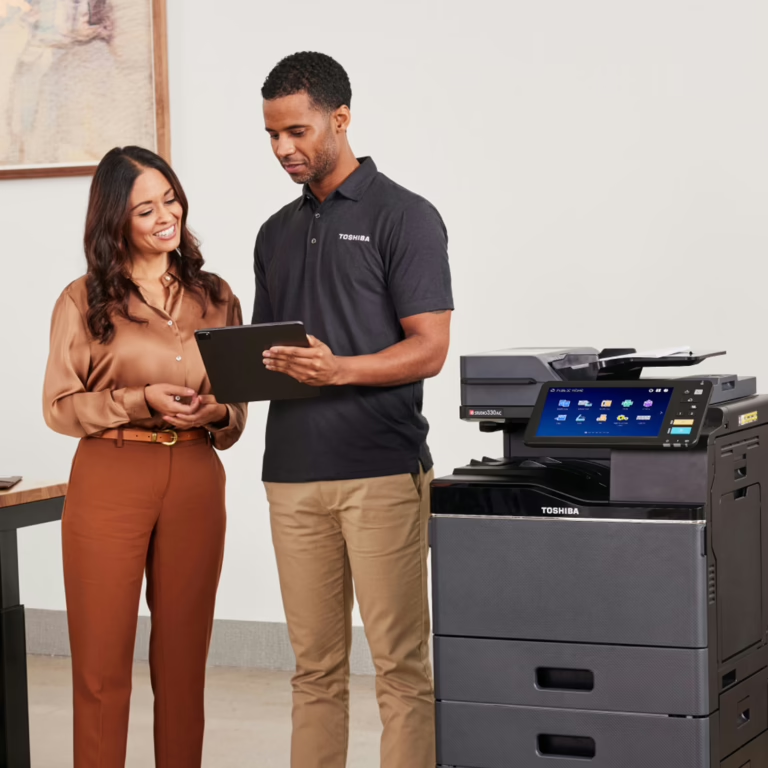
What Is Different About Print and Mail Installations?
Print and mail technologies can follow the same overall project process, but the technical details are different.
A print installation often involves network connectivity, print drivers, scan destinations, security settings and device monitoring.
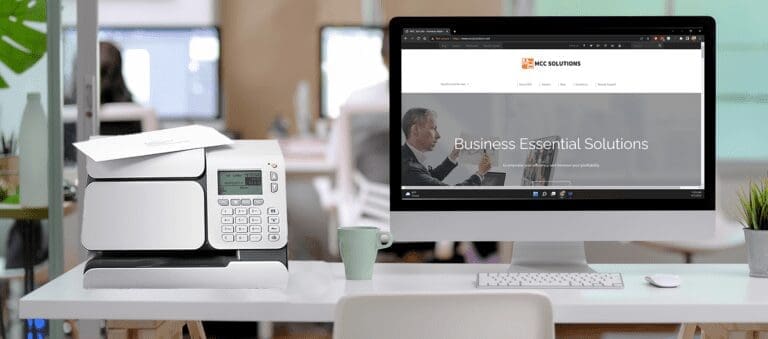
A mailroom installation may require postage-account setup, mailing software, job programming, mailpiece testing and operator-specific training.
MCC uses specialists familiar with each environment so the system is configured for the work it will actually perform.
How Long Does Installation Take?
The installation timeline depends on the type and amount of equipment involved.
A single device may require only a scheduled delivery, configuration and training visit. A larger project involving multiple departments, locations, connected software or specialized equipment will require additional planning and coordination.
MCC reviews the expected installation process and schedule before deployment so the client knows what must happen and who needs to be involved.
Why Businesses Choose MCC
A needs-first assessment
Recommendations are based on workload, users and business requirements rather than a predetermined equipment package.
Specialists for print and mailing environments
Each area is evaluated and supported by people who understand the technology and how it is used.
Installation and training included in the process
MCC does not simply deliver equipment and leave employees to negotiate with the instruction manual.
Local ongoing service
Clients have one regional partner for installation, support, maintenance and future technology needs.
MCC Solutions provides mailroom and mailing automation systems for organizations across Tennessee and Mississippi, with local teams supporting Memphis, Nashville, Jackson, and surrounding areas.
Plan Your Print or Mail Technology Project
Whether you are replacing outdated equipment, improving a mailroom or planning technology for a new location, the process should begin with a clear understanding of the work.
MCC can assess your current environment, recommend the appropriate solution, manage installation and support your team after deployment.
Schedule a Free AssessmentCall 866-805-5893Explore Print and Mailing Solutions
Explore the individual solution pages for more information about available technology: