
Essential Tools for Remote and Hybrid Teams in 2026
Remote and hybrid work are no longer temporary workplace trends—they’re a permanent part of modern business strategy.
While many organizations have implemented return-to-office initiatives, employees and employers continue to embrace flexible work models. In fact, 55% of professionals say hybrid work is their preferred arrangement, while only 16% consider a fully in-office role their first choice. Additionally, 88% of employers now offer some level of hybrid work flexibility. [roberthalf.com]
As work becomes increasingly distributed, organizations need more than basic communication tools. They need intelligent systems that improve collaboration, automate repetitive work, and create consistent employee experiences regardless of location.
The organizations gaining a competitive advantage in 2026 are investing in three critical areas:
- Artificial Intelligence (AI) and automation
- Unified communication and collaboration platforms
- Modern audio-visual and workplace technology
Let’s explore the technologies that are transforming remote and hybrid work.
Key Takeaways
- Hybrid work remains the preferred work model for most professionals.
- AI is becoming a standard workplace productivity tool rather than an optional add-on.
- Integrated communication platforms reduce friction and improve collaboration.
- Advanced audio visual solutions help remote and in-office employees participate equally.
- Organizations that combine AI, collaboration tools, and workplace technology create more productive and engaged teams.

How AI Is Transforming Modern Office Technologies
Learn more about how AI is impacting the workplace and the benefits and challenges of AI in modern office technologies.
Read the Blog Post1. AI and Workflow Automation: The New Productivity Standard
The biggest workplace technology shift since the adoption of cloud computing is happening right now.
According to Microsoft’s 2025 Work Trend Index, 82% of business leaders expect AI agents and digital labor to help expand workforce capacity within the next 12 to 18 months. [assets-c4a…zurefd.net], [microsoft.com]
AI is rapidly evolving from a tool employees occasionally use into a core part of daily operations.
How AI Improves Remote and Hybrid Work
Automates Repetitive Tasks
AI can handle:
- Data entry
- Document processing
- Meeting scheduling
- Workflow approvals
- Invoice routing
- Customer inquiries
This reduces administrative burden and allows employees to focus on strategic work.
Enhances Meetings
AI-powered collaboration tools now provide:
- Automated meeting summaries
- Real-time transcription
- Action item extraction
- Meeting recaps for absent participants
- Noise suppression and video enhancement
Supports Better Decision-Making
Modern AI platforms analyze large amounts of business data and provide:
- Predictive insights
- Trend analysis
- Performance forecasting
- Business recommendations
Improves Employee Experience
Employees can use AI assistants to:
- Draft emails
- Create presentations
- Summarize documents
- Generate reports
- Search organizational knowledge
AI Tools Business Leaders Should Evaluate
Microsoft 365 Copilot
Ideal for organizations already using Microsoft 365. Integrates directly with:
- Outlook
- Teams
- Word
- Excel
- PowerPoint
- SharePoint
Workflow Automation Platforms
Examples include:
- Power Automate
- Nintex
- Laserfiche Workflow
- ProcessMaker
AI-Powered Document Management
Organizations are increasingly automating:
- Document classification
- Records management
- Compliance workflows
- Information retrieval
The Future of Business Meetings: AV Tech Advancements
Learn more about the advancements in modern audio visual technologies and how they can help support your remote and hybrid workforce.
Read the Blog Post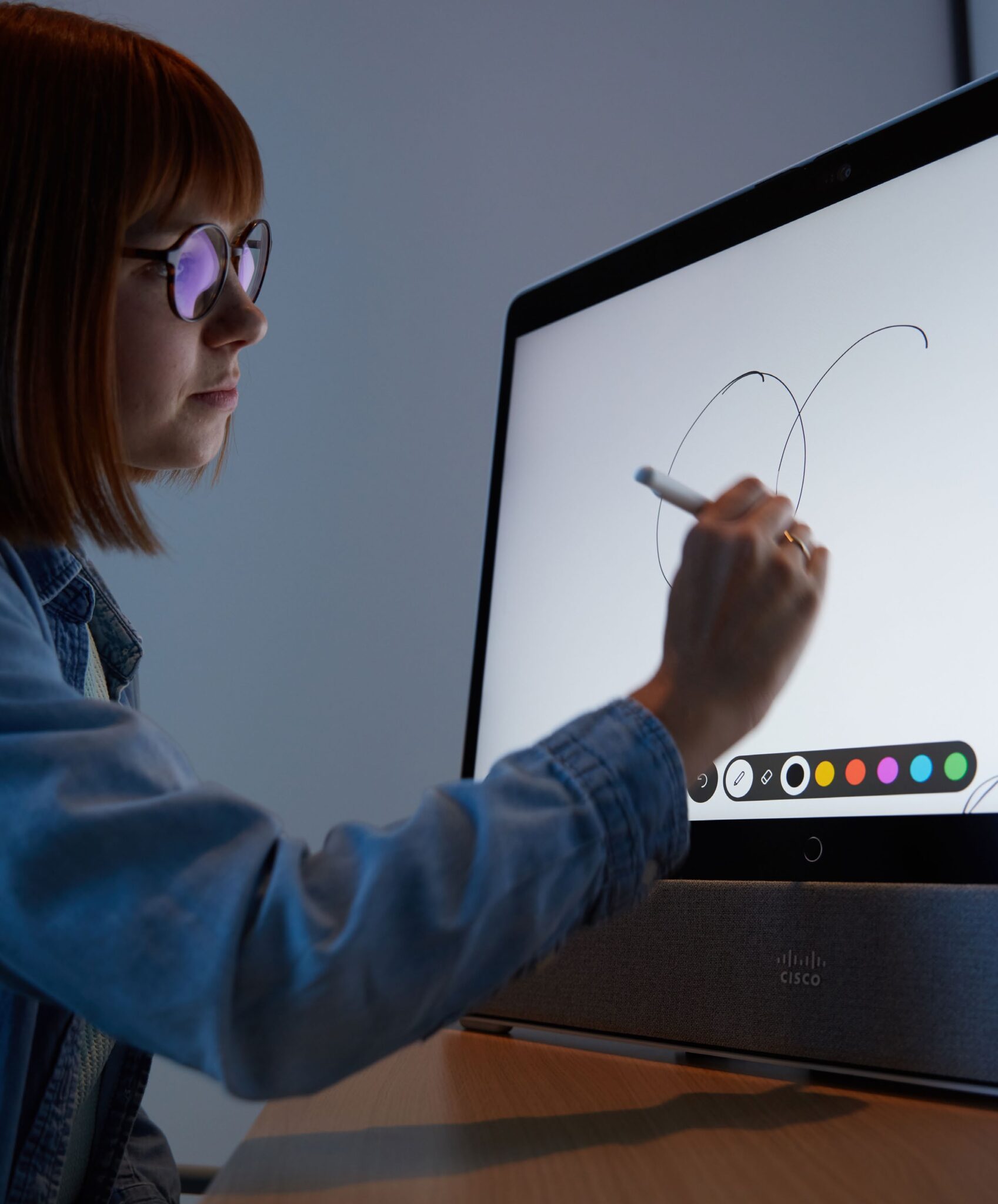
2. Unified Communication Platforms: Keeping Teams Connected
Communication remains one of the biggest challenges for distributed teams.
Employees need a seamless way to move between messaging, meetings, file sharing, and collaboration without switching between multiple systems.
Organizations that rely on disconnected tools often experience:
- Communication silos
- Duplicate work
- Missed information
- Reduced productivity
Features Every Communication Platform Needs in 2026
High-Quality Video Conferencing
Video meetings remain central to hybrid work.
Look for platforms that provide:
- HD video
- AI-generated meeting notes
- Real-time transcription
- Screen sharing
- Webinar capabilities
Team Messaging and Collaboration
The most effective platforms combine:
- Persistent chat
- File sharing
- Project collaboration
- Voice calling
- Meeting scheduling
into one environment.
Security and Compliance
Business communications must remain protected with:
- End-to-end encryption
- Compliance controls
- Role-based access
- Retention policies
Scalability
The platform should support growth without forcing employees to learn an entirely new ecosystem.
Recommended Platforms for Hybrid Teams
Cisco Webex
Strong enterprise security and excellent meeting experiences combined with AI-powered messaging and calling.
Microsoft Teams
One of the most comprehensive collaboration solutions available, particularly for organizations already using Microsoft 365.
Zoom Workplace
Expanded beyond meetings into collaboration, team chat, and productivity tools.
3. Modern Audio Visual Technology Creates Meeting Equity
One of the biggest frustrations in hybrid workplaces occurs when remote participants feel like second-class attendees.
Meeting equity has become a major focus for organizations building long-term hybrid work strategies.
The goal is simple:
Everyone should have the same ability to participate regardless of where they are working.
Technologies Driving Better Hybrid Meetings
Intelligent Conference Rooms
Modern meeting spaces now include:
- AI-powered cameras
- Automatic speaker tracking
- Intelligent framing
- Beamforming microphones
These technologies ensure remote participants can clearly see and hear everyone in the room.
Interactive Whiteboards
Digital collaboration boards allow distributed teams to:
- Brainstorm together
- Annotate documents
- Create diagrams
- Collaborate in real-time
Examples include:
- Cisco Board Pro
- Microsoft Surface Hub
- Neat Board
Wireless Presentation Systems
Employees can quickly share content from laptops or mobile devices without complex setup.
Digital Signage
Organizations are increasingly using digital signage platforms to:
- Share announcements
- Promote company initiatives
- Display operational dashboards
- Communicate with distributed teams
4. Document Management and Information Access
Remote employees need secure access to business-critical information.
Modern document management systems provide:
- Cloud-based access
- Version control
- Automated workflows
- Compliance monitoring
- Intelligent search
When combined with AI, employees can quickly locate information instead of searching through folders, emails, or shared drives.
Organizations that invest in document automation often reduce:
- Manual processing
- Compliance risk
- Time spent searching for information
while improving operational efficiency.
Common Challenges Remote Teams Face (and How Technology Solves Them)
Challenge: Miscommunication
Solution: Unified communication platforms with chat, video, transcription, and shared workspaces.
Challenge: Low Engagement
Solution: Interactive collaboration tools, AI-powered meeting experiences, and advanced AV technology.
Challenge: Manual Processes
Solution: Workflow automation and AI-driven business processes.
Challenge: Knowledge Silos
Solution: Document management systems, enterprise search, and AI-powered knowledge retrieval.
Challenge: Unequal Meeting Experiences
Solution: Smart meeting rooms, intelligent cameras, and collaboration-first AV systems.
The Future of Remote and Hybrid Work
The future workplace is not fully remote or fully in-office.
It’s flexible.
Organizations that successfully combine:
- AI-powered productivity
- Workflow automation
- Collaboration platforms
- Modern AV technology
- Intelligent information management
will create environments where employees can work effectively from anywhere.
As Microsoft’s latest research shows, businesses are rapidly moving toward a model where AI works alongside employees as part of a modern hybrid workforce. Organizations that embrace these technologies today will be better equipped to attract talent, improve productivity, and remain competitive tomorrow.
Find out what MCC Can Do For Your Remote Teams
Whether you need workflow automation, video conferencing, printer management, or audio visual solutions to help support your remote teams
Looking for something specific?
Want the latest news in your inbox?
[sibwp_form id=1]
Don't forget to share!
[wd_hustle id='2' type=‘social_sharing'/]
Categories
Industries
Solutions
MCC News
Frequently Asked Questions
What are the best tools for remote and hybrid teams in 2026?
The most effective tools include Microsoft Teams, Microsoft 365 Copilot, workflow automation platforms, document management systems, intelligent conference room technology, and digital collaboration tools.
How does AI help remote employees?
AI automates repetitive tasks, creates meeting summaries, generates content, analyzes data, and helps employees find information faster.
What technology should hybrid offices invest in?
Hybrid workplaces should prioritize video conferencing, intelligent meeting room solutions, interactive whiteboards, digital signage, workflow automation, and AI productivity tools.
Why is audio visual technology important for hybrid work?
Modern AV technology improves communication, increases engagement, and ensures remote employees have equal participation opportunities during meetings and collaboration sessions.
Tagged audio visual, collaboration, digital displays, digital signage, document management, hybrid teams, jackson ms, jackson tn, mcc, MCC Jackson, mcc memphis, MCC Mississippi, MCC Nashville, memphis communications, memphis tn, Nashville, TN, remote work, telecom, tennessee, TN, video conferencing, webex, workflow automation
One Response