
























































































MCC Solutions

Business Security Cameras
That Actually Prevent Problems

Not Just Record Them

Installing security cameras is easy.

Installing the right system — one that gives usable footage, reduces risk, and actually supports investigations — is where most businesses get it wrong.

Business Security Cameras That Capture What Matters

Business security cameras should do more than prove that something happened. A properly designed video surveillance system should provide clear footage, useful alerts and fast access to the exact event your team needs to review.

MCC designs, installs and supports commercial security camera systems for offices, warehouses, healthcare facilities, schools, retail locations and multi-site organizations. We evaluate your property, risks, lighting, traffic patterns, recording requirements and existing infrastructure before recommending a system. The result is not simply more cameras. It is better visibility where it matters most.

The Best Commercial Security Camera Company in Tennessee and Mississippi

What Are Business Security Cameras?

Business security cameras are part of a commercial video surveillance system used to monitor buildings, entrances, parking areas, workspaces, inventory and other important locations. A complete system may include indoor and outdoor cameras, recording equipment, secure video storage, remote access, event alerts and video analytics.

The effectiveness of the system depends on far more than camera resolution. Placement, lighting, viewing angle, image quality, recording reliability and footage retention all determine whether the video will be useful when an incident occurs.

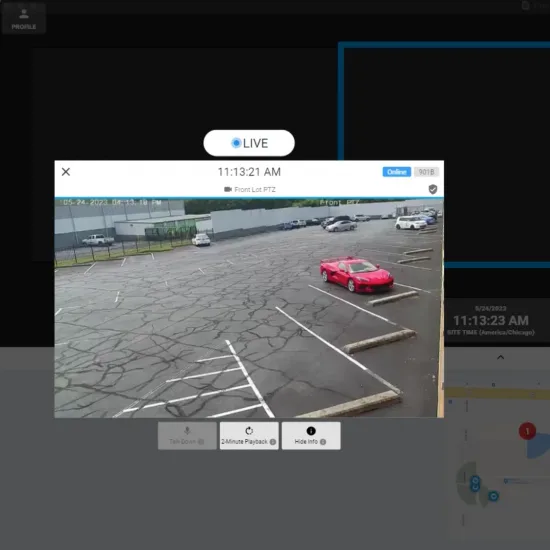
security camera live view
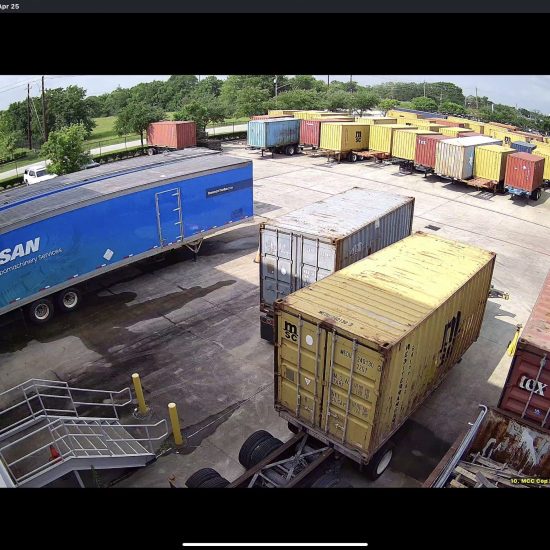
Gulf Winds security camera footage

When Businesses Need a Better Camera System

Many organizations contact MCC because their existing cameras technically work but fail to provide the information they need. The business may still have blind spots, nighttime footage may be unusable or recorded video may take too long to find. In other cases, the system has become a patchwork of incompatible cameras added over several years without a clear plan.

A new or redesigned system may be appropriate when your organization is dealing with theft, property damage, workplace disputes, unauthorized activity or limited visibility across multiple facilities. It may also be time to make changes when cameras regularly lose connection, footage cannot be retrieved reliably or the current system cannot expand without substantial replacement.

The goal is not to replace working equipment for the sake of buying something newer. It is to identify where the current system falls short and correct the gaps that affect security, investigations and daily operations.

How Security Cameras Should Work With Access Control & Alarms

The most effective security systems don’t operate in isolation.

When cameras are integrated with access control and alarm systems, businesses gain:

  • Clear visibility into who accessed a space and when

  • Faster incident review with synchronized video and event data

  • Stronger deterrence through layered security

  • More actionable insights instead of disconnected footage

This integrated approach reduces blind spots and turns security footage into a practical operational tool — not just stored video.

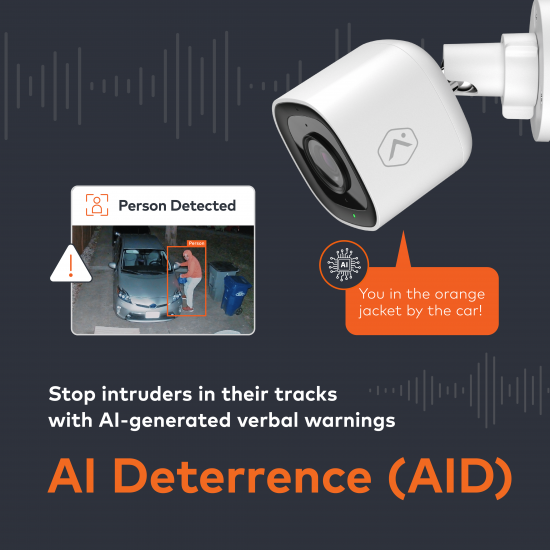
Security cameras AI deterrance system

Built for Security, Compliance, and Accountability

Physical security plays a critical role in protecting people, assets, and business operations. Modern surveillance systems provide organizations with continuous visibility into facilities, support incident investigations, and help verify compliance with security procedures. MCC implements video surveillance solutions that improve situational awareness while supporting organizational security and risk management objectives.

Commercial Video Surveillance Capabilities

Indoor and Outdoor Coverage

MCC offers indoor and outdoor camera options for entrances, parking areas, reception spaces, warehouses, loading docks, offices, hallways, restricted rooms and other locations where better visibility is needed.

The appropriate camera depends on the environment, distance, lighting, viewing angle and level of detail required. A camera intended to observe general movement has a different job from one expected to capture faces, transactions or vehicle details.

Live and Recorded Video

Authorized users can view live video and review recorded footage from supported computers or mobile devices. Remote access can help managers check facilities, verify events and respond to questions without being physically present at the location.

Permissions should be assigned according to role so that employees can access the locations and functions relevant to their responsibilities without receiving unnecessary access to the entire system.

Real-Time Video Alerts

Depending on the selected platform, cameras can notify designated users when activity meets specific rules. An alert might be triggered when a person enters a restricted area, a vehicle arrives after hours or movement occurs in a location that should be empty.

Useful alerts should be configured around meaningful events. Sending a notification every time a tree moves or a stray cat crosses the parking lot is not intelligence. It is a machine-assisted migraine.

Video Analytics

Video analytics can help distinguish between different types of movement and identify events that are more likely to require attention. Depending on the system, analytics may differentiate between people, vehicles and animals, monitor activity within a defined area or help authorized users locate relevant footage faster.

Analytics can also support operational uses. For example, a defined area may be used to monitor the number of people waiting in a queue and notify a manager when the line or average wait time exceeds an established threshold.

Multi-Location Visibility

Organizations with several facilities may be able to view cameras, receive alerts and review events from a centralized platform. Access can be assigned by location or role so local managers see the facilities they oversee while corporate administrators maintain broader visibility.

Centralized management can reduce the need to maintain a separate interface, login and process for every branch.

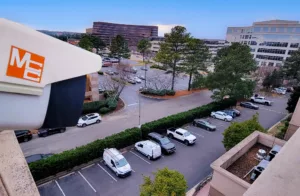
MCC Commercial CCTV Security Camera mounted to the top of a building overlooking a parking lot full of cars.

Commercial CCTV Design and Installation

DIY systems don’t cut it for real business security. MCC’s certified installers design every CCTV solution for your specific building layout, bandwidth needs, and risk points. Post-installation, we offer regular service and support to ensure your commercial security system always works when it matters.

Why Choose MCC for Business Security Cameras?

Camera System Designed Around the Facility

MCC evaluates the property, risks, lighting and workflows before recommending equipment. Camera quantity is determined by the required coverage, not by a prepackaged bundle.

Integration with Broader Security Systems

Cameras can be designed to work with access control, intrusion alarms, alerts and other supported security technologies.

Options for Different Storage and Management Needs

MCC offers on-site, cloud and hybrid approaches depending on the selected platform and the organization’s requirements.

Support After Installation

The system is backed by an experienced regional team that can assist with service, training, changes and expansion after deployment.

Regional Teams and Local Accountability

MCC has served organizations since 1972 and maintains offices in Memphis, Jackson, Nashville/Brentwood and Ridgeland, with local project and service teams supporting businesses across the Mid-South.

OUR CLIENTS

Frequently Asked Questions

Cost depends on camera count, site layout, cabling, retention days, and whether analytics/cloud storage are required.
Poor placement, bad lighting assumptions, low-quality lenses, and ignoring traffic flow—problems that show up after an incident.
Cloud can simplify multi-site management; NVR can reduce ongoing fees. The right choice depends on sites, policies, and retention needs.
Retention is driven by industry requirements, risk profile, and incident response needs—not by what’s cheapest.
Yes. In fact we recommend it — camera + access events together dramatically improve investigations and accountability.
They help when paired with smart placement, real-time alerts/analytics, and integrated controls—otherwise they only record after the fact.
Buying cheap hardware without a design plan for lighting, angles, storage, and workflow.
Start with a site assessment that maps coverage, risk points, and integrations before selecting equipment.
STAY UPDATED

Related News

Catch up on the latest industry news, product updates, and tips on how to make the most of your office technology solutions.

6 Cost-saving technology ideas blog post graphic

Lower operating costs with practical office tech—postage meters, mail outsourcing, phones, print, and automation. See where savings come from and what to do first.

Continue Reading The Article
5 Considerations for Commercial Security Systems blog post graphic

A comprehensive security system not only serves as a deterrent for potential intruders but also provides critical safeguards against data breaches, theft, and vandalism....

Continue Reading The Article

Title graphic for for the MCC blog post Achieving Business Success Through Digital Transformation: Guiding Your Business Through the Era of Digital Innovation

Digital transformation doesn’t fail because of technology—it fails because of execution. Learn how businesses modernize workflows, reduce costs, and scale smarter with practical, proven...

Continue Reading The Article