Panasonic’s New Line-up of Laser Projectors are Brighter Than Ever: Introducing the New PT-RZ21KU and PT-RS20KU Projectors
MCC recently formed a partnership with Panasonic to bring the best quality projection systems to our clients, and the timing couldn’t be better. Panasonic has just released some of the most advanced and feature-packed laser projectors available in the industry. Panasonic has long been an industry leader in the projection field. By pushing advances in […]
The Working Dead: 5 Technologies to Terminate From Your Office Today

Technology is constantly evolving, which means that old, outdated technologies are constantly being placed on the endangered technology list, and eventually becoming extinct altogether. Employees should be provided with technology that will help increase their productivity by saving time and effort, reducing human error, and driving speed of service to customers. Outdated technologies, or cobbled-together […]
We Love Digital
The Customer Experience is everything. These days, marketers have to overcome the effects an increasingly digitized lifestyle has on the brain. According to a report from Microsoft, humans generally lose focus after 8 seconds. Before the mobile revolution began in the year 2000, the average attention span was 12 seconds. This means a marketer must work harder […]
You’ve Got Mail!
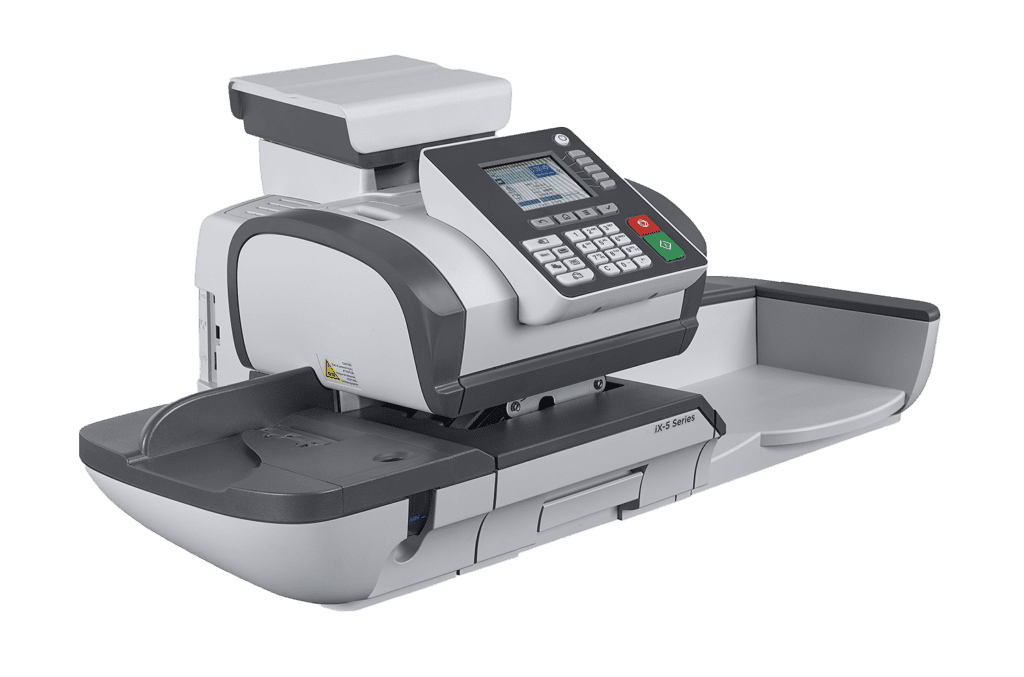
Businesses, no matter what their size, have many needs; one of them is “The Mail”. Flyers, coupons, invoices and packages are constantly being sent to clients and potential customers. If your business receives a lot of incoming mail, then there is the job of sorting through and opening all those envelopes. Luckily, there are machines […]
Saving and Recalling Print Profile – Toshiba eStudio How-To Video Series Part 10
Welcome to the final episode in the Toshiba eStudio How-To Video Series. Today we will discuss Saving and Recalling Print Profiles. In Part 2, we discussed saving templates for complex copy jobs on the your Toshiba MFP. Print Profiles allow you do the same thing with your complex print jobs from your computer. For jobs […]
Scan to Email with Large File Sizes –Toshiba eStudio How-To Videos Series Part 7
Welcome to week 7 of our 10 part how-to video series. Last week we talked about Cloud applications builtin to your new Toshiba copier. This week, we discuss scanning to email when the file size exceeds the limit setup by your email administrator.
Ride for Jillian 2017 — The Memphis Stop
Each year our partners MWAi and Industry Analysts hop on their motorcycles and ride from Scottsdale Az to the Rolling Thunder motorcycle rally in Washington D.C. Rather than just a ride across country with a group of friends, the guys take this opportunity to raise money and awareness for a very worthy cause, The Jillian […]
Multi-Station Print — Toshiba eStudio How-To Video Series Part 3
Welcome back to the Toshiba eStudio series of how-to videos. In previous videos (Part 1 & Part 2), we discussed simplifying complex copy jobs with Job Build and Job Templates. Today, we are going to switch gears and discuss printing. Multi-station printing to be exact.
MCC Announces Partnership with Panasonic USA
MCC is proud to announce a new partnership with Panasonic that will allow us to better serve you, our clients. By partnering with one of the leading manufacturers in digital displays, projectors and more, MCC is able to provide you with amazing quality products like the DLP Laser Projector featured in the video below. Earlier […]
Saving and Recalling Job Templates — Toshiba eStudio How-To Video Series Part 2
Welcome back for Part 2 of the Toshiba series of how-to videos designed to help you utilize the features of your new eStudio MFD (multi-function device). In Part 1 of the series you learned how to build complex jobs to simplify copying from multiple sources. This week, we will discuss how to create and use […]