
4 Reasons You Should Upgrade Your Copier
and How It Save Your Business Money
(Updated Dec. 2025)
Today’s business technology changes fast. If your copier or multifunction printer (MFP) is more than a few years old, it’s probably costing you more in downtime, repairs, and hidden inefficiencies than you realize. Modern devices aren’t just “printers” anymore—they’re secure workflow hubs that impact productivity across your entire organization.
Here are four clear signs it’s time to upgrade your office copier and why the right device can pay for itself faster than you’d think.
1. Your Office Copier Breaks Down More Often Than It Prints
Frequent jams, streaky prints, and service calls aren’t normal—they’re signals that your device is at the end of its lifecycle. As copiers age, components wear out, firmware updates stop, and overall reliability drops.
Every minute your team waits on a repair is money burned. And yes, old copiers need pricey parts that manufacturers often phase out.
A modern copier gives you:
Higher duty cycles
Faster print and scan speeds
More reliable components
Remote diagnostics for quicker support
Less downtime = more productivity = more revenue-generating time.


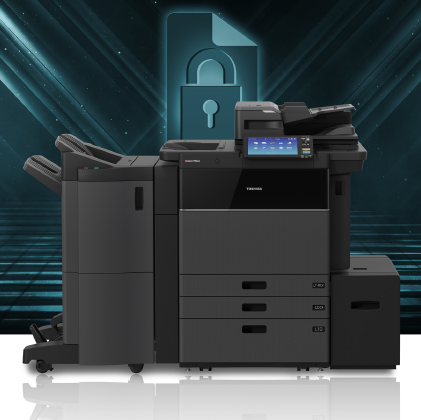
2. Your Office Security Is One Breach Away From a Headline
Most businesses don’t realize office copiers are computers with hard drives—and old ones are shockingly easy to breach.
Outdated systems can expose:
Sensitive payroll or HR documents
Financial data
Customer information
Healthcare or compliance-bound data (HIPAA, CJIS, FERPA, etc.)
Newer MFPs offer advanced security features like:
Encrypted hard drives
User authentication and badge release
Automatic data overwrite
Secure cloud-connected workflows
If cybersecurity is a priority, replacing outdated print hardware isn’t optional—it’s foundational.
3. You’re Spending Too Much on Toner, Repairs, and Consumables
A common misconception: “Keeping the old copier saves money.”
Reality check: Older devices often cost 30–60% more per month in supplies and repairs.
Newer copiers can cut costs through:
Energy efficiency
High-yield toner
Fewer breakdowns
Automated supply replenishment
Lower cost per page
Plus, when paired with Managed Print Services, you get predictable monthly costs, automated monitoring, and dramatically fewer surprises.
4. Your Workflows Haven’t Upgraded Since… Ever
Modern work requires modern tools. If your team is still printing forms, scanning to email manually, or fighting with outdated drivers, your copier is slowing everything down.
New MFPs streamline workflows with:
Easy scanning to cloud tools
Automated document routing
Mobile printing
Built-in OCR for searchable PDFs
Integration with business applications
Whether your team is on-site, remote, or hybrid, a new device keeps everyone moving.
Why Upgrade With MCC?
With over 50 years in business, MCC delivers more than hardware—we deliver strategy, support, and local service teams across Tennessee and Mississippi. Our specialists evaluate your actual print needs, remove unnecessary devices, and recommend technology that reduces costs long-term.
You get:
The right-size device for your business
Local technicians you can count on
Fast response times
Predictable budgeting
A partner committed to your efficiency
Upgrading isn’t just a hardware decision. It’s a productivity decision.
Ready to See What a New Copier Could Do for Your Business?
We’ll evaluate your current device, calculate your real print costs, and show you exactly what you can save with a modern upgrade.
Looking for something specific?
Want the latest news in your inbox?
 | Thank you for Signing Up |
 | Thank you for Signing Up |


One Response