Copier Enemies: Part 1 — Dust Bites
Your copy machine is probably the most important appliance in your office. Whether, you are printing invoices or marketing flyers, scanning important tax documents, or even faxing medical records, your office copier is vital. Few things are more debilitating than when your copier suddenly stops performing at its best. But, did you know you might […]
The Benefits of Having a Maintenance Agreement
How does MCC set itself apart from the competition? By implementing a service strategy that requires 50 percent of the completed service calls made in a day to be courtesy or preventative maintenance calls with our maintenance agreements. As a result of this strategy, the service department has fewer emergency calls, and most customers never […]
The Working Dead: 5 Technologies to Terminate From Your Office Today
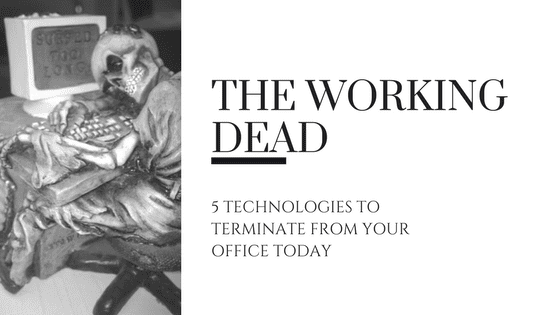
Technology is constantly evolving, which means that old, outdated technologies are constantly being placed on the endangered technology list, and eventually becoming extinct altogether. Employees should be provided with technology that will help increase their productivity by saving time and effort, reducing human error, and driving speed of service to customers. Outdated technologies, or cobbled-together […]
Saving and Recalling Print Profile – Toshiba eStudio How-To Video Series Part 10
Welcome to the final episode in the Toshiba eStudio How-To Video Series. Today we will discuss Saving and Recalling Print Profiles. In Part 2, we discussed saving templates for complex copy jobs on the your Toshiba MFP. Print Profiles allow you do the same thing with your complex print jobs from your computer. For jobs […]
Banner Printing — Toshiba eStudio How-To Video Series Part 9
Welcome to Part 9 of the Toshiba how-to video series. Today, we are learning how to print banners from your Toshiba MFP. If you missed a previous episode, you can find them here. Have you ever needed to print a banner or anything on irregular paper sizes but couldn’t figure out how? Printing banners can […]
Mobile Printing — Toshiba eStudio How-To Video Series Part 8
Thanks for joining us for another how-to video in our Toshiba eStudio series. This week we will learn how to use the mobile printing builtin to your iOS and Android devices to print to your new Toshiba MFP, as well as using Toshiba’s eBridge Print and Capture app for more control over your printing. We […]
Scan to Email with Large File Sizes –Toshiba eStudio How-To Videos Series Part 7
Welcome to week 7 of our 10 part how-to video series. Last week we talked about Cloud applications builtin to your new Toshiba copier. This week, we discuss scanning to email when the file size exceeds the limit setup by your email administrator.
Cloud Applications — Toshiba eStudio How-To Video Series Part 6
Thanks for joining us for Part 6 of the Toshiba eStudio How-To Video Series. In this video we will discuss how to use Google Drive, Dropbox, and Microsoft OneDrive cloud storage applications with your new Toshiba MFP.
Embedded OCR — Toshiba eStudio How-To Video Series Part 5
Welcome back to Part 5 of our Toshiba How-To Video series. These video tutorials are designed to introduce you to the features of your new eStudio series MFP. This week we will learn about the builtin OCR (Optical Character Recognition) settings of your copier.
Private Print — Toshiba eStudio How -To Video Series Part 4
Welcome back to the Toshiba eStudio how-to video series designed to help you utilize the features of your new eStudio copier and MFP. Last week we discussed Multi-Station Printing in part 3 of this 10-part series. Today we will learn about Private Print.